
Download GPT for Slides – AI‑Powered Text‑to‑Presentation Tool
Introduction & Overview
Creating a polished presentation usually requires hours of research, drafting, and design work. GPT for Slides eliminates most of that friction by combining the latest large‑language‑model capabilities with a purpose‑built slide generation engine. Whether you paste a paragraph of text, upload a PDF, share a YouTube link, or simply type a topic, the service instantly extracts the core ideas, builds a logical outline, selects appropriate visuals, and formats everything into a ready‑to‑present deck.
The solution works as a Google Slides add‑on and as a fully browser‑based web app, meaning you can start a project from a laptop, continue it on a tablet, and finish it on a desktop without ever leaving your browser. Multi‑language support covers more than twenty languages, and an integrated Wikipedia lookup supplies factual citations for academic or business use. While a generous free tier lets users create up to ten slides per month, a low‑cost premium plan removes limits, adds priority processing, and unlocks advanced branding options.
By handling research, summarisation, and visual design in a single click, GPT for Slides empowers educators, students, marketers, and sales teams to focus on storytelling rather than slide mechanics.
Core Features, Benefits, Pros & Cons
- AI‑generated slide outlines from plain text, PDFs, URLs, or YouTube videos.
- Automatic royalty‑free image search and insertion tailored to slide content.
- One‑click chart creation from numeric data extracted from the source material.
- Support for over 20 languages with automatic detection and localisation.
- Wikipedia integration for quick fact‑checking and citation generation.
- Adjustable deck length—from concise 5‑slide briefs to detailed 30‑slide presentations.
- Multiple export options: PPTX download, direct save to Google Slides, or shareable link.
- Free tier with generous limits; premium subscription unlocks higher slide counts, custom branding, and priority AI processing.
Pros
- Reduces slide creation time from hours to minutes, dramatically increasing productivity.
- Intuitive, drag‑and‑drop‑free interface suitable for users with no design background.
- End‑to‑end encryption secures uploaded documents and generated content.
- Continuous model updates improve accuracy and add new template styles automatically.
- Cross‑platform access via any modern browser on Windows, macOS, Android, or iOS.
Cons
- Free plan caps monthly slide generation, which may be restrictive for power users.
- Highly technical diagrams (e.g., circuit schematics) often need manual refinement after AI generation.
- Requires an active internet connection; offline editing is not yet supported.
- Occasional misinterpretation of ambiguous phrasing can lead to off‑target slides.
- Advanced branding features such as custom corporate fonts and colour palettes are limited to premium subscribers.
GPT for Slides delivers a compelling blend of AI intelligence and practical slide‑creation features. The speed and quality of the generated decks make it a must‑have for educators and marketers alike. While the free plan’s limits are understandable, the premium upgrade offers enough value to justify the cost for power users.
Installation, Compatibility & How to Use
Getting started with GPT for Slides is straightforward, whether you prefer the Google Slides add‑on or the independent web app. Both pathways share a unified dashboard that guides you from input to export in three clear stages.
Step‑by‑Step Installation
- Google Slides Add‑on: Open any Google Slides file, navigate to Extensions > Add‑ons > Get add‑ons, search for “GPT for Slides”, and click “Install”. Grant the requested permissions for Drive access and external URL fetching. The add‑on appears as a new sidebar menu.
- Web Application: Visit gptforslides.example.com, click “Sign Up”, and confirm the verification email. After logging in, you are taken directly to the project dashboard where new decks can be created instantly.
System Requirements (Operating Systems)
- Windows 10 or later – any recent browser (Chrome, Edge, Firefox) works.
- macOS 11 (Big Sur) or later – Safari, Chrome, or Firefox are fully supported.
- Android 8.0+ and iOS 13+ – full functionality through mobile browsers; native apps are planned.
Typical Workflow
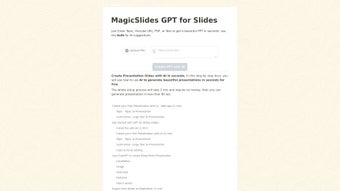
- Input: Paste raw text, upload a PDF, or provide a YouTube link. For large documents you can select specific chapters or sections. An optional “Summarise Wikipedia” field lets you type a topic and receive a concise factual overview.
- Generate: Choose deck length (short, medium, long) and toggle options for images, charts, and language. Click “Create Slides”. Within seconds the AI produces an outline, fetches relevant royalty‑free images, and builds any requested charts.
- Review & Edit: The generated deck appears in an embedded editor. You can rearrange slides, edit text, replace images, or adjust chart parameters without leaving the browser. When satisfied, click “Export”.
- Export: Choose “Download PPTX” for offline use, “Save to Google Slides” for collaborative editing, or copy a shareable link. All exported files are stored securely in your Google Drive or downloaded locally, depending on the chosen option.
The platform also maintains a “History” panel that records every project, allowing you to duplicate, revisit, or re‑export past decks with a single click. Updates to the underlying AI model and template library are applied automatically, ensuring you always benefit from the latest improvements without manual patches.
Frequently Asked Questions & Conclusion
Is GPT for Slides completely free?
The core functionality—creating up to 10 slides per month—is free. Premium plans unlock higher slide limits, priority processing, and advanced branding options for a modest monthly fee.
Can I use GPT for Slides offline?
Currently the service requires an internet connection because all AI processing happens in the cloud. Offline functionality is on the roadmap for future releases.
How does the tool handle sensitive data?
All uploads are encrypted in transit and at rest. The platform complies with GDPR and CCPA standards, and no data is retained beyond the session unless you explicitly save the project to your account.
What languages are supported?
GPT for Slides supports more than 20 languages, including English, Spanish, French, German, Chinese, Japanese, Arabic, and Portuguese. The AI automatically detects the language of your input.
Can I customize the slide design?
Yes. The free version provides a set of basic templates, while premium subscribers gain access to a broader library of themes, custom fonts, and corporate colour palettes.
Conclusion & Call to Action
GPT for Slides bridges the gap between raw content and polished visual storytelling, turning a traditionally time‑consuming process into an almost instantaneous workflow. Its AI‑driven generation, multilingual support, and seamless export options make it a valuable ally for anyone who creates presentations regularly. The generous free tier offers enough capability to test the concept, while the affordable premium upgrade scales smoothly as your needs grow.
Ready to transform your ideas into professional slides? Click the button below to download GPT for Slides, install the Google Slides add‑on, or start a free session directly in your browser. Experience the future of presentation creation today.



.png)



